
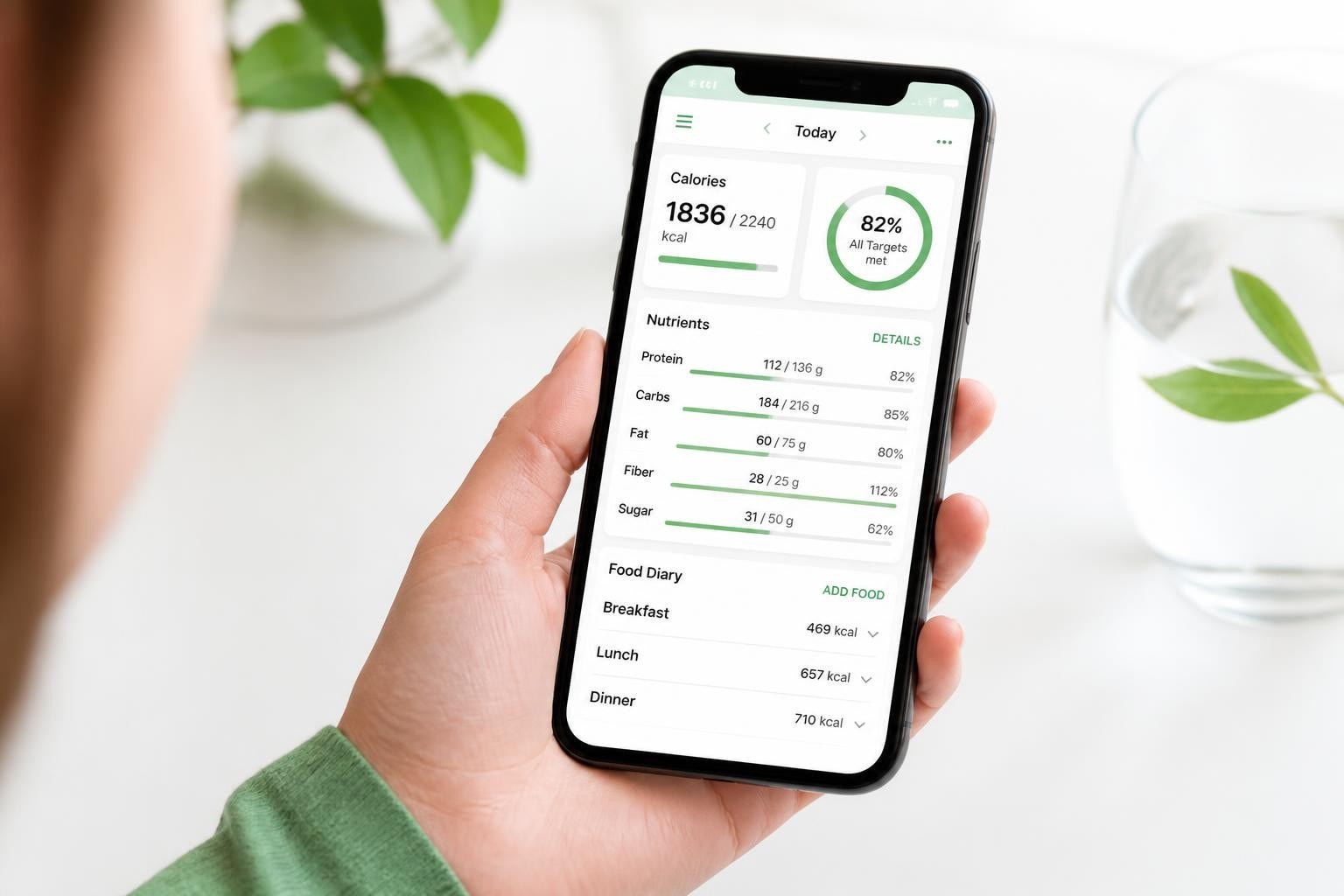
Tracking what you eat has evolved far beyond simple calorie counting. Modern nutrition apps now offer detailed insights into vitamins, minerals, and specific nutrient profiles that matter for long-term health. Cronometer stands out in this crowded market by emphasizing precision and micronutrient tracking, positioning itself as a tool for users who want comprehensive nutritional data rather than quick estimates. This cronometer review examines the app's features, accuracy, user satisfaction, and overall credibility based on aggregated data from multiple sources including official claims, user reviews, and community feedback.
What Makes Cronometer Different from Other Nutrition Apps
Cronometer takes a fundamentally different approach compared to mainstream calorie tracking applications. While many apps prioritize convenience through barcode scanning and photo-based meal logging, Cronometer focuses on database accuracy and detailed nutrient information.
The app tracks over 82 micronutrients, including vitamins, minerals, amino acids, and fatty acids. This level of detail appeals to users with specific health goals, athletes monitoring performance nutrition, and individuals managing medical conditions that require precise nutrient monitoring.
Database Quality and Verification Standards
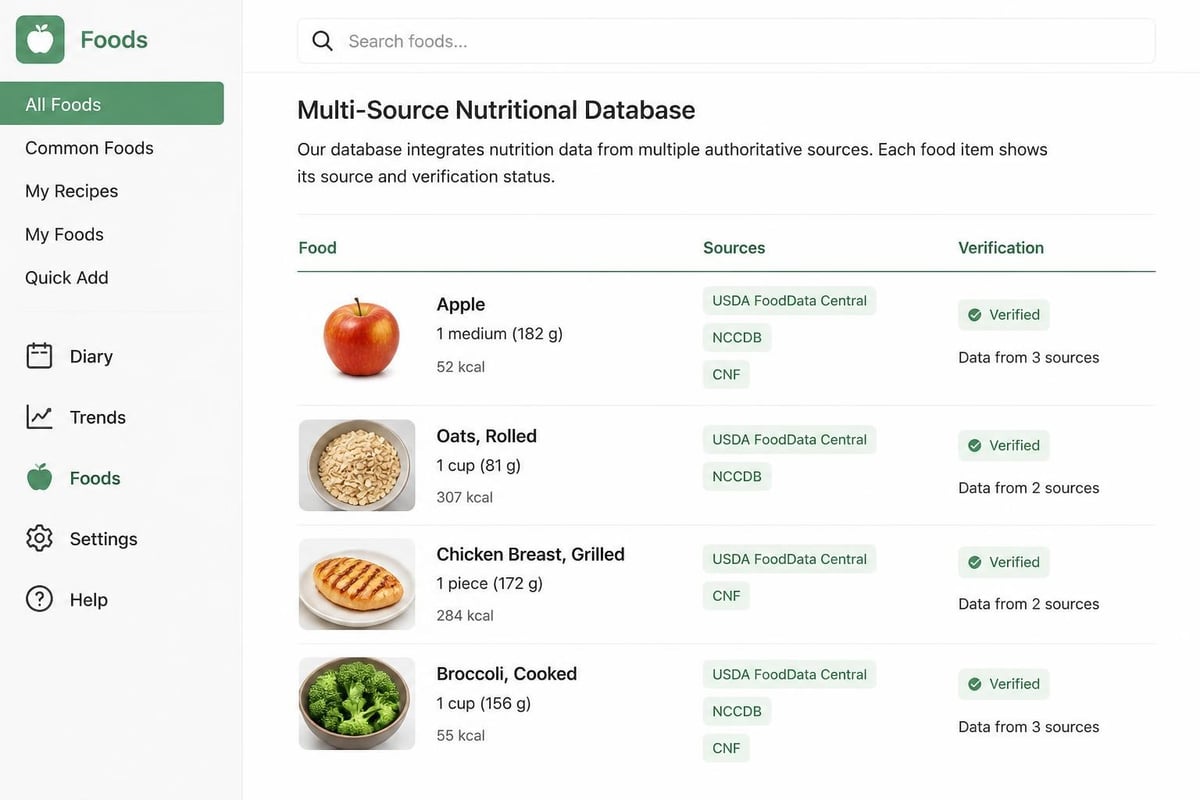
One of the most significant differentiators in this cronometer review is the app's commitment to verified food entries. Unlike crowd-sourced databases where anyone can add nutritional information, Cronometer prioritizes:
- Verified entries from authoritative sources like USDA, NCCDB, and CNF
- Commercial product data directly from manufacturers
- Quality control processes to minimize inaccurate entries
- Regular database updates to reflect current nutritional information
According to Clinical Nutrition Report’s evaluation of Cronometer’s accuracy, the app demonstrates particular strength in micronutrient data reliability compared to competitors. This verification process reduces the likelihood of logging errors that can compound over time.
User Interface and Learning Curve
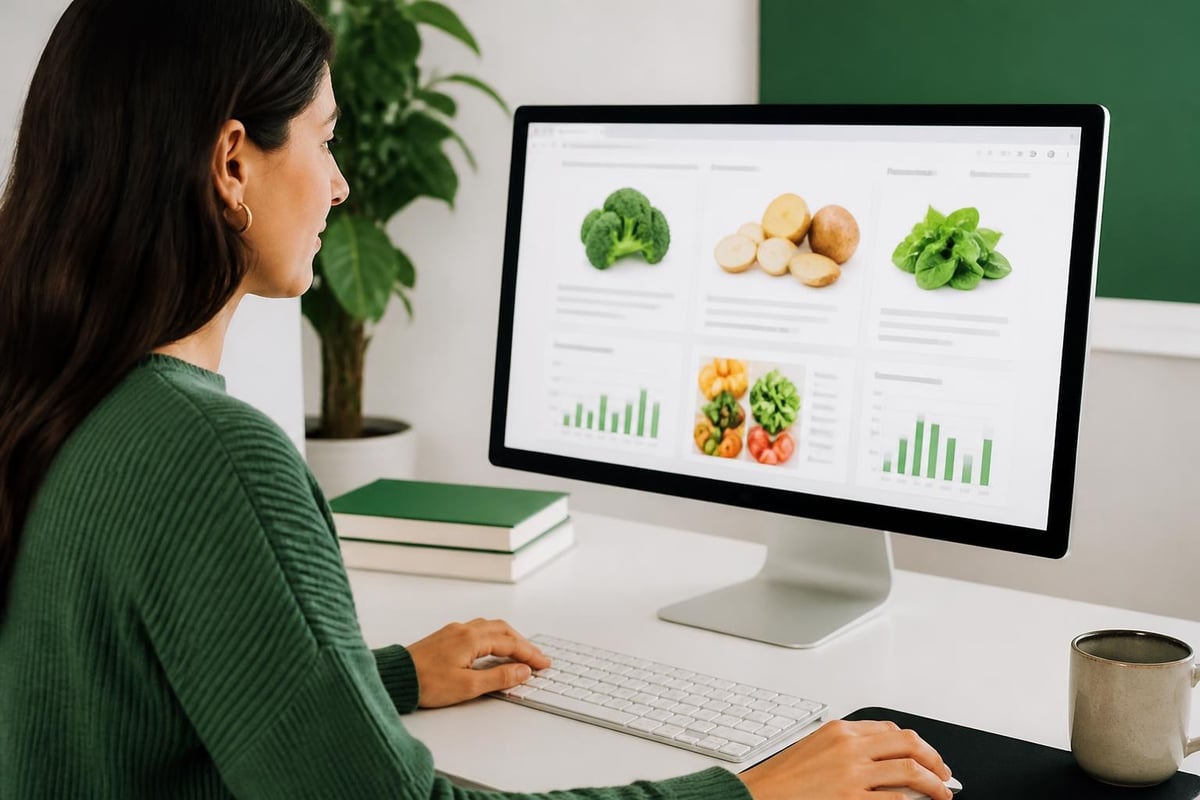
Cronometer's interface reflects its data-first philosophy. The app presents information in detailed charts, graphs, and numerical breakdowns that require some familiarity with nutritional concepts. Users on Reddit's r/cronometer community frequently note that the initial learning curve is steeper than apps like MyFitnessPal, but the payoff comes in understanding nutritional patterns over time.
The dashboard displays:
- Daily nutrient targets with percentage completion
- Macronutrient ratios (protein, carbohydrates, fats)
- Micronutrient intake across all tracked vitamins and minerals
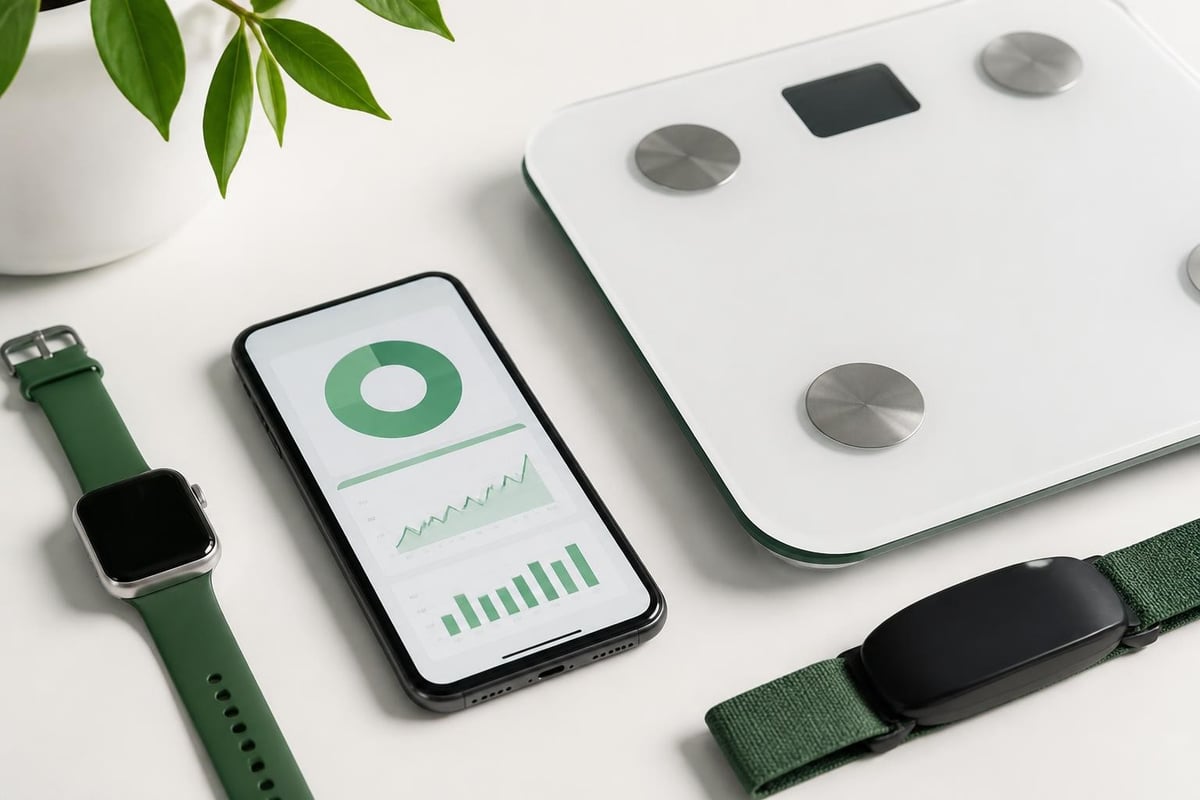
- Biometric data integration from connected devices
- Custom notes and health metrics
Cronometer Features and Functionality
This section of our cronometer review explores the specific tools and capabilities that define the user experience.
Food Logging Methods
Cronometer offers multiple ways to log meals and foods:
- Manual search through the verified database
- Barcode scanning for packaged products
- Custom foods with user-entered nutritional data
- Recipes that calculate nutrition from individual ingredients
- Quick add for frequently consumed items
The app does not currently support photo-based meal estimation, which CaloriApp Directory notes appeals to users who prefer manual entry precision over AI-based approximations.
Dietary Preference Support
Cronometer accommodates various dietary approaches through customizable macronutrient targets and specialized tracking modes:
| Diet Type | Cronometer Support | Key Features |
|---|---|---|
| Ketogenic | Excellent | Net carb tracking, ketone monitoring |
| Vegan/Vegetarian | Excellent | B12, iron, omega-3 tracking emphasis |
| Paleo | Good | Food filtering options |
| Intermittent Fasting | Good | Fasting timer integration |
| Low-FODMAP | Moderate | Manual tracking required |
| Diabetic | Excellent | Blood glucose integration, carb counting |
The app's flexibility extends to creating fully custom nutrition targets based on individual health goals or medical recommendations.
Integration and Device Connectivity
Cronometer connects with numerous health tracking devices and platforms, syncing biometric data automatically. The official Cronometer features page lists compatibility with Fitbit, Garmin, Apple Health, Google Fit, and various smart scales.
This integration enables users to see how nutrition impacts other health metrics like weight trends, exercise performance, and sleep quality within a unified dashboard.
Cronometer Review: User Feedback Analysis
Analyzing user sentiment across multiple platforms provides insight into real-world satisfaction and common pain points.
App Store Ratings and Reviews
As of August 2026, Cronometer maintains strong ratings on the App Store, with users consistently praising database accuracy and micronutrient tracking depth. Common positive themes include:
- Accuracy: Users appreciate verified food entries and detailed nutritional breakdowns
- Education: Many reviewers mention learning about their nutritional gaps
- Customization: The ability to set personalized targets receives frequent praise
- Professional use: Dietitians and nutritionists report recommending the app to clients
Negative feedback typically centers on:
- Interface complexity for casual users
- Limited free version functionality
- Occasional syncing issues with connected devices
- Steeper learning curve compared to simpler apps
Google Play Store Feedback
Android users on Google Play echo similar sentiments, with the app maintaining consistent ratings. Reviews emphasize the value of Gold subscription features for serious trackers, while free version users sometimes express frustration with feature limitations.
Trustpilot and Independent Reviews
Cronometer's Trustpilot profile shows generally positive sentiment, though with a smaller review volume compared to mainstream fitness apps. Users on this platform tend to be more serious nutrition trackers who value precision over convenience.
Nutrition App Rankings’ detailed assessment highlights Cronometer's particular suitability for clinicians and users with specific micronutrient targets, reinforcing its positioning as a professional-grade tool.
Pricing Structure and Value Assessment
Understanding what you get at each price point is essential in any cronometer review.
Free Version Capabilities
The basic Cronometer account includes:
- Food, exercise, and biometric tracking
- Access to verified food database
- Basic nutrient tracking (macros and major micros)
- Web and mobile access
- Community forum participation
While functional, the free version lacks advanced features that define the premium experience.
Gold Subscription Benefits
Cronometer Gold, the paid tier, unlocks significant additional functionality:
Monthly: $9.99
Annual: $49.99 (equivalent to $4.17/month)
Gold features include:
- Full micronutrient tracking (all 82+ nutrients)
- Advanced analysis tools and reports
- Fasting timer
- No advertisements
- Customizable nutrient targets
- Food and recipe import/export
- Priority customer support
For users serious about comprehensive nutrition tracking, the annual subscription offers better value. Best App Rankings’ evaluation suggests the Gold tier is essentially necessary to access Cronometer's core strengths.
Professional Edition
Cronometer also offers a Professional edition designed for dietitians, nutritionists, and healthcare providers who manage client nutrition plans. This tier includes client management tools, customizable templates, and enhanced reporting capabilities at a higher price point.
Database Accuracy and Scientific Foundation
A critical component of this cronometer review involves examining the scientific rigor behind the app's nutritional data.
Source Attribution and Verification
Cronometer distinguishes itself by clearly attributing nutritional data sources. Each food entry displays its data origin, typically including:
- USDA SR Legacy: Standard Reference database
- NCCDB: Nutrition Coordinating Center Food & Nutrient Database
- CNF: Canadian Nutrient File
- CRDB: Cronometer verified commercial products
- User-added: Community contributions (clearly marked)
According to Nutrition Apps Ranked’s review of database accuracy, this transparency allows users to make informed decisions about which entries to trust for precise tracking.
Handling of Nutrient Variability
Cronometer acknowledges natural variation in food nutrient content. Agricultural products vary based on soil quality, growing conditions, and harvesting methods. The app uses average values from authoritative sources while recognizing these inherent limitations.
For users requiring extreme precision, the app allows creating custom foods with laboratory-tested nutritional information, useful for those with medical conditions requiring exact nutrient monitoring.
Who Benefits Most from Cronometer
Based on user feedback and feature analysis, certain user profiles gain maximum value from Cronometer:
Athletes and Performance-Focused Individuals: Those monitoring specific nutrient ratios for training optimization appreciate the detailed micronutrient breakdowns and biometric integration.
Medical Condition Management: Users tracking nutrients for conditions like kidney disease, diabetes, or cardiovascular issues benefit from precise monitoring of sodium, potassium, phosphorus, and other minerals.
Ketogenic and Low-Carb Dieters: The net carb calculation and ketone tracking features specifically support these dietary approaches, as noted by users on the r/cronometer subreddit.
Nutrition Professionals: Dietitians and nutritionists use Cronometer for client education and meal planning, leveraging the professional tier's enhanced capabilities.
Data-Driven Health Enthusiasts: Individuals who enjoy analyzing health metrics and understanding nutritional patterns find Cronometer's comprehensive reporting valuable.
Comparing Cronometer to Alternatives
Understanding how Cronometer positions against competitors provides context for potential users:
| Feature | Cronometer | MyFitnessPal | Lose It! | Nutritionix |
|---|---|---|---|---|
| Database Verification | Excellent | Moderate | Moderate | Good |
| Micronutrient Tracking | Excellent | Limited (Premium) | Limited | Good |
| Ease of Use | Moderate | Excellent | Excellent | Good |
| Free Version Value | Moderate | Good | Good | Good |
| Professional Features | Excellent | Limited | Limited | Good |
| Learning Curve | Steep | Gentle | Gentle | Moderate |
Tracker Benchmark’s analysis emphasizes that Cronometer occupies a specialized niche, trading user-friendliness for data precision and depth.
Common Challenges and Limitations
No cronometer review would be complete without addressing legitimate drawbacks:
Limited Social Features: Unlike apps with robust community challenges and friend connectivity, Cronometer focuses primarily on individual tracking with minimal social engagement tools.
Manual Entry Requirements: The lack of photo-based meal logging means every food requires manual input, which some users find time-consuming compared to AI-assisted alternatives.
Restaurant and Generic Foods: While the verified database excels for whole foods and packaged products, restaurant meal data can be limited, requiring users to estimate or create custom entries.
Mobile App Performance: Some users report occasional lag or sync delays on older devices, though updates continue improving performance.
Subscription Cost: While reasonably priced, the necessity of Gold subscription for full micronutrient access represents an ongoing expense that budget-conscious users may find prohibitive.
Cronometer's Credibility and Company Background
Evaluating the company behind the app provides additional context for this cronometer review. Cronometer Software Inc., based in British Columbia, Canada, has operated since 2011. The company maintains transparency about data sources, privacy policies, and development priorities.
The development team includes registered dietitians and nutrition professionals who contribute to feature prioritization and database curation. This professional involvement supports the app's credibility in clinical and professional nutrition contexts.
Privacy and Data Security
Cronometer's privacy policy outlines data handling practices, including:
- User data encryption during transmission
- Optional anonymized data sharing for nutrition research
- No sale of personal information to third parties
- Account deletion options with complete data removal
For health-conscious users tracking sensitive medical information, these privacy commitments provide important reassurance.
Making the Most of Cronometer
Users who invest time in learning Cronometer's features report significantly better outcomes. Key strategies include:
- Start with baseline tracking for one week without changing eating habits to understand current patterns
- Customize nutrient targets based on individual health goals or medical recommendations
- Create favorite foods and recipes to streamline daily logging
- Review weekly reports to identify consistent nutritional gaps
- Connect biometric devices to understand how nutrition impacts other health metrics
The Carb Counting Hub’s evaluation notes that users who engage with the app's analytical features rather than just logging see greater dietary improvements over time.
Professional and Clinical Use Cases
Cronometer's Professional edition serves healthcare providers managing client nutrition, offering features beyond consumer needs. Dietitians report using the platform for:
- Creating customized meal plans with specific nutrient targets
- Monitoring client compliance with therapeutic diets
- Generating detailed nutritional reports for medical records
- Educating clients about micronutrient intake patterns
- Tracking outcomes across multiple clients simultaneously
This professional adoption reinforces Cronometer's credibility and data accuracy, as healthcare providers require reliable tools for patient care.
Cronometer delivers exceptional micronutrient tracking accuracy and database reliability for users who prioritize nutritional precision over convenience. While the learning curve and subscription costs may deter casual trackers, serious nutrition enthusiasts, athletes, and individuals managing health conditions find substantial value in the platform's comprehensive approach. If you're researching whether Cronometer aligns with your health goals, HealthGreenList offers detailed reviews of health and wellness brands by aggregating official claims, user feedback, and credibility signals to help you make informed decisions about the tools you trust with your health data.